
Sign-in Methods
What this is
The Sign-in Methods page (https://vpsdime.com/manageoauth) lets you control how you get into your account: which sign-in providers (Google, GitHub) are linked, and whether you have a password. Find it at My Account → Sign-in Methods.
Steps
Link another provider
- Go to My Account → Sign-in Methods.
- Under Link Another Provider, click the provider you want.
- Approve it with the provider; you'll return with it linked.
Disconnect a provider
- On the same page, find it under Linked Providers and click Disconnect.
Set a password (if you signed up with Google/GitHub and never had one)
- On the same page, use the Set a Password card to choose a password.
- After that you can also sign in with your email and password as a backup.
What you'll see
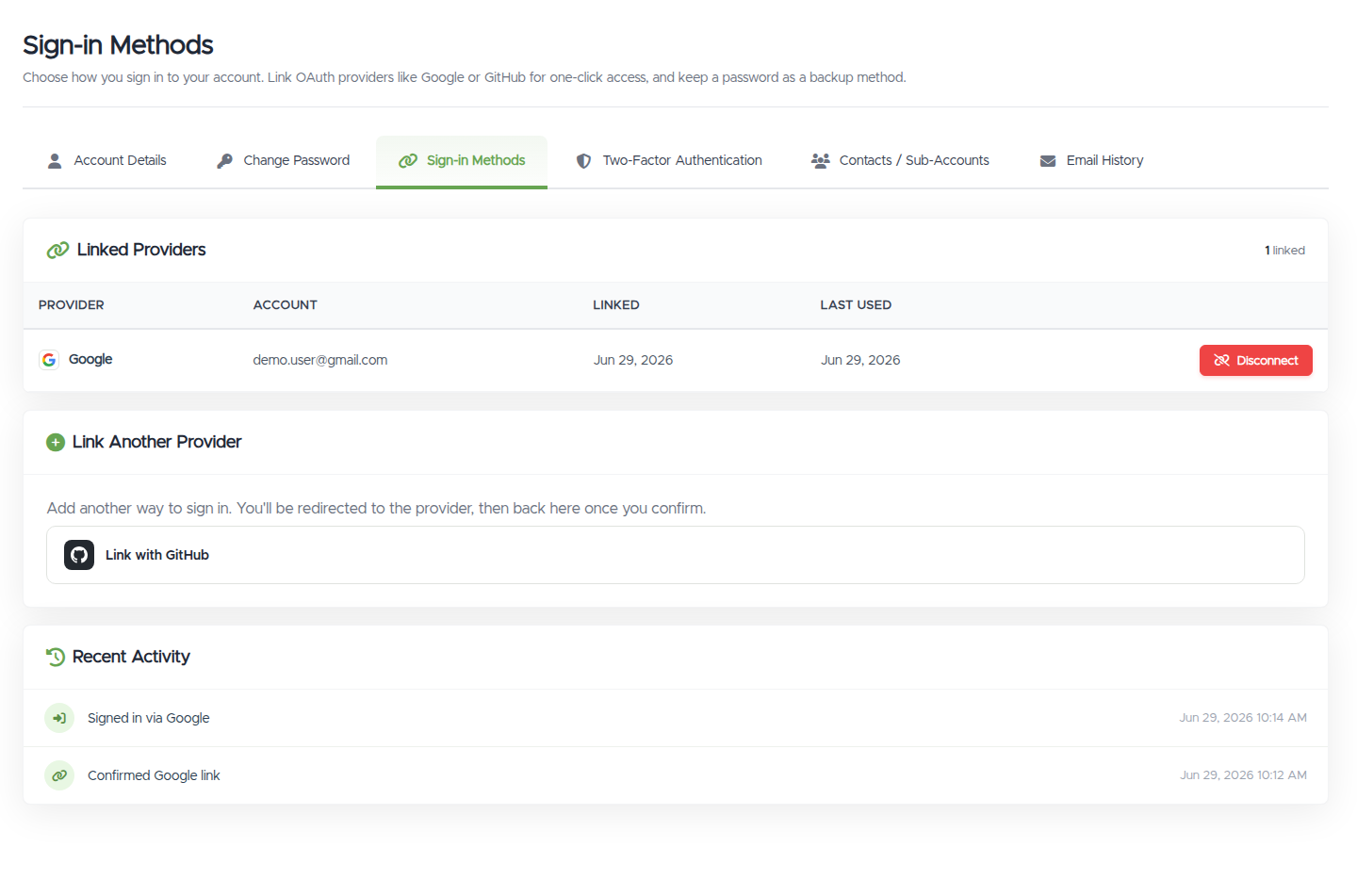
- Linked Providers: a list of your connected providers with when each was linked and last used, and a Disconnect button.
- Link Another Provider: buttons for providers you haven't linked yet.
- Set a Password: only shown if your account was created with a provider and has no password yet.
- Recent Activity: a short history of your sign-in events.
Troubleshooting
- The Disconnect button is greyed out / "This is your only sign-in method." You can't remove your last way in. Set a password first (on the same page), then you can disconnect the provider safely.
- I can't link a provider: "email is registered to a different account." That provider's email belongs to another VPSDime account. Sign in to that account instead, or contact us if you've lost access.
- I don't see a "Set a Password" option. That section only appears for accounts created via Google/GitHub that don't have a password yet. If you already have one, use Change password instead.
Still need help?
You can open a support ticket. So we can help on the first reply, it's worth mentioning:
- the email address on your account,
- which provider you're trying to link or disconnect,
- the exact message you see (a screenshot is ideal).
Related questions
- "How do I connect / disconnect Google or GitHub?"
- "How do I set a password if I signed up with Google?"
- "Why can't I remove my linked account?"
- "Where do I manage my sign-in methods?"