
How to find the device name or device ID of a Windows VPS
What this is
Some software licensing, activation, and management tools ask for your machine's Device Name, Device ID, or Product ID. On your Windows VPS they're all on one screen.
Steps
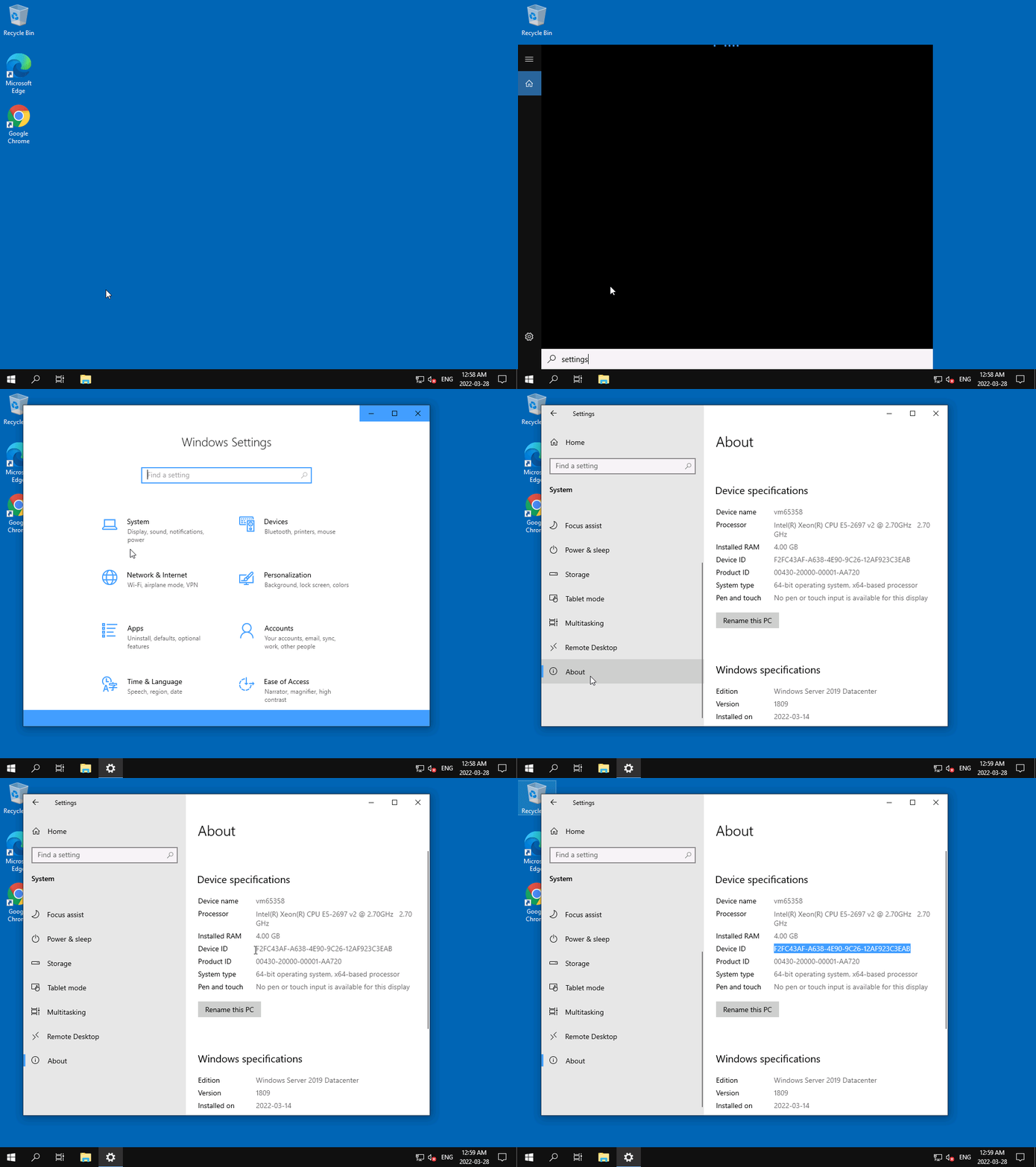
- Click the Search button, type
Settings, and press Enter. - Click System.
- Scroll down in the left menu and click About.
- The right-hand pane shows Device name, Device ID, and Product ID.
Tip: the values have copy options on right-click, paste them rather than retyping.
Still need help?
You can open a support ticket. So we can help on the first reply, it's worth mentioning:
- the VPS hostname or IP,
- which value you need (Device Name, Device ID, or Product ID) and what it's for.
Related questions
- "Where do I find the Device ID on my Windows VPS?"
- "How do I find my Windows device name?"
- "Where is the Product ID in Windows?"