
Signing in
What this is
How to get into your account from the VPSDime sign-in page. Sign in at https://vpsdime.com/clientarea.
Steps
- Open the sign-in page (the Sign In / client area link on vpsdime.com).
- Enter the email address and password for your account and submit.
- If two-factor authentication is on (it is, for every account), you'll be asked for a verification code next. See Two-factor authentication.
You can also skip the password entirely with Sign in with Google or GitHub.
What you'll see
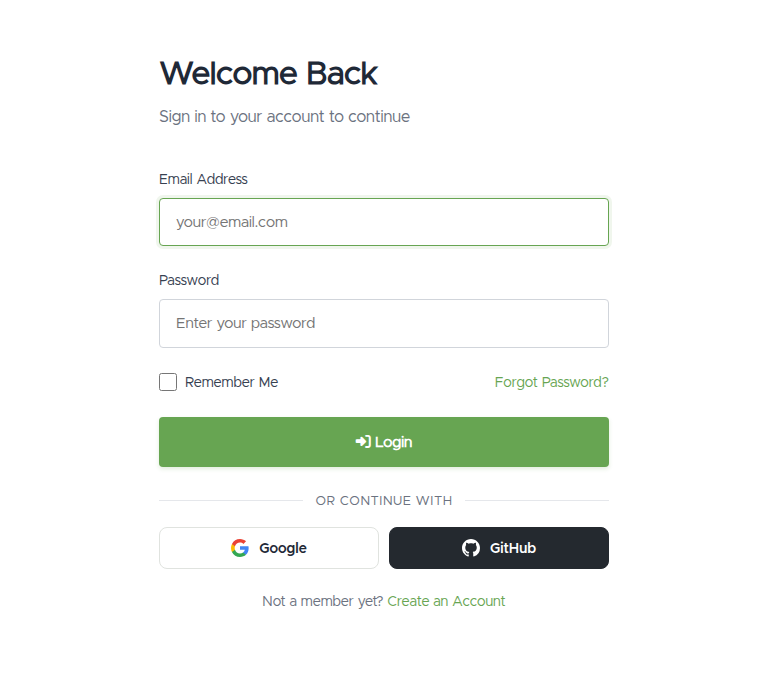
- The sign-in screen is headed "Welcome Back" with email and password fields, plus Sign in with Google / GitHub buttons.
- Sometimes a "verify you're human" check (a small Cloudflare box) appears above the button. This only shows up after a few failed attempts. Tick it and sign in as normal.
- A wrong email or password shows an "incorrect" error; your details aren't changed, you can just try again.
Staying signed in
Tick Remember me on the sign-in page to stay signed in on that device, so you don't have to enter your details (and a code) every visit. Leave it unticked on shared or public computers. Signing out, or changing your password, ends "remember me" everywhere.
Troubleshooting
- "Login incorrect" / wrong password. Re-enter carefully (watch for caps lock). If you've forgotten it, reset it from the Forgot password? link on the sign-in page and we'll email you a reset link. See Reset a forgotten password. If you originally signed up with Google or GitHub and never set a password, you may not have one yet: use Sign in with Google or GitHub, or set a password from Sign-in Methods.
- The "verify you're human" box appears (or won't complete). It's a safety check that shows after repeated attempts. Complete the check and sign in. If it won't load, try a different browser, or turn off a VPN/ad-blocker that may be blocking it, then retry.
- It asks for a code after my password. That's normal. It's your second step. See Email login codes or Set up an authenticator app.
- I don't remember which email my account uses. Open a ticket (below) and we'll help you locate it.
Still need help?
You can open a support ticket. So we can help on the first reply, it's worth mentioning:
- the email address you're trying to sign in with,
- whether it's the password or a verification code that's being rejected,
- a screenshot of the screen and any error message.
Related questions
- "I can't log in to my account."
- "I forgot my password."
- "Why does it ask me to verify I'm human?"
- "Where do I sign in?"