
Add funds (account credit)
What this is
You can prepay a credit balance on your account and let invoices draw from it automatically. It saves making lots of small payments. Find it at Billing, Add Funds (https://vpsdime.com/addfunds).
(Two kinds of "prepay" exist, so pick the right one: Add Funds loads a general balance that pays whatever comes due. To prepay a specific service so its renewal date itself moves 1 to 24 months forward, use Pay for your service in advance instead, and you can pay that invoice with your credit balance, so the two combine nicely.)
Steps
- Go to Billing, Add Funds.
- Enter an Amount to Add (within the limits below).
- Click Add Funds and complete the payment with any payment method.
What you'll see
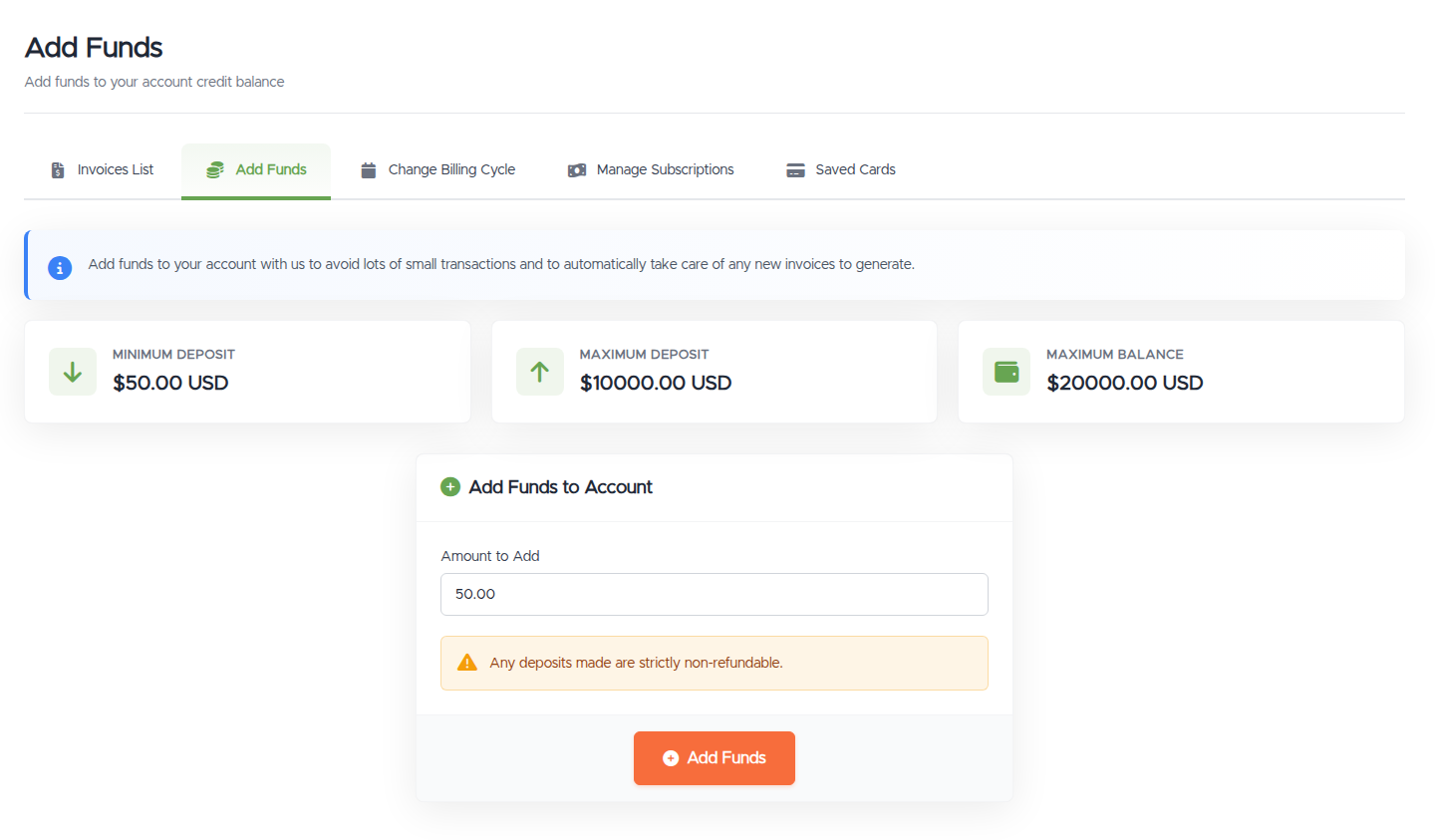
- The deposit limits:
- Minimum deposit: $50.00 USD
- Maximum deposit: $10,000.00 USD
- Maximum balance: $20,000.00 USD
- An Amount to Add field, a note that deposits are non-refundable, and an Add Funds button.
Things worth knowing
- Deposits are strictly non-refundable. Only add what you expect to spend on services.
- Credit never expires. Your balance stays on the account until it's spent. The one exception: if we terminate your account for a Terms of Service violation, any remaining credit is forfeited.
- Credit applies automatically. Your balance is applied to your invoices for you, both to new renewal invoices as they're generated and to any open (unpaid) invoices already on your account, so there's usually nothing to do. You can also apply it by hand when paying an invoice. See Viewing and paying an invoice.
- An invoice covered by credit shows the credit applied and a $0.00 total.
Changed your mind before paying?
If you started an Add Funds deposit and then decided against it, you don't have to do anything, but you can tidy it up. An unpaid Add Funds invoice shows an Add Funds Payment Pending notice on your dashboard with Pay Now and Cancel buttons. Click Cancel to drop the invoice, nothing is charged and no credit is added. If you leave it, our system cancels an unpaid Add Funds invoice automatically after 24 hours.
Troubleshooting
- It won't accept my amount. Check it's at least the minimum ($50), within the maximum, and that it won't push you over the maximum balance.
- My payment for the credit failed. Try another payment method.
Still need help?
You can open a support ticket. So we can help on the first reply, it's worth mentioning:
- the amount you tried to add,
- the payment method you used and any error,
- what you plan to use the credit for.
Related questions
- "How do I add credit to my account?"
- "Is account credit refundable?"
- "What's the minimum I can deposit?"
- "How does my credit balance get used?"
- "Does my account credit expire?"
- "How do I cancel an Add Funds invoice I don't want to pay?"
- "I started adding funds by mistake, what happens if I don't pay?"