
My VPS is Down (troubleshooter)
What this is
My VPS is Down (under Support, at https://vpsdime.com/myvpsisdown) checks a VPS you can't reach and tries to tell you why, with self-service fixes for the common causes and a one-click way to open a ticket if it can't sort it out.
How much it checks depends on the plan:
- Linux VPS: the full inside-and-out diagnostics and self-service tools below.
- Premium VPS and Windows VPS: a lighter check (power state and connection status) plus guidance and a ticket. Windows also verifies and can reset your Administrator password.
Running it
- Go to Support, My VPS is Down.
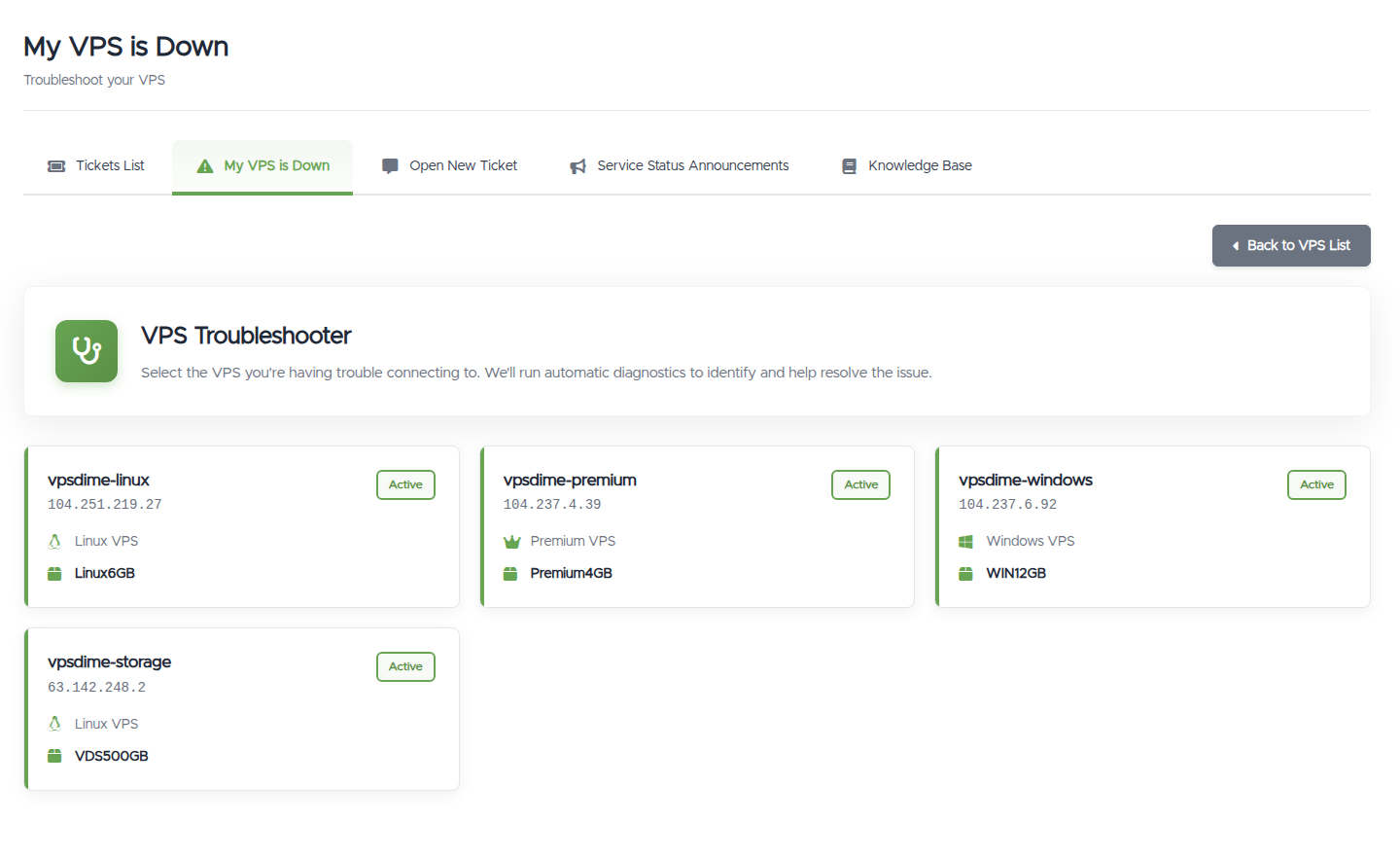
- Click the VPS you're having trouble connecting to.
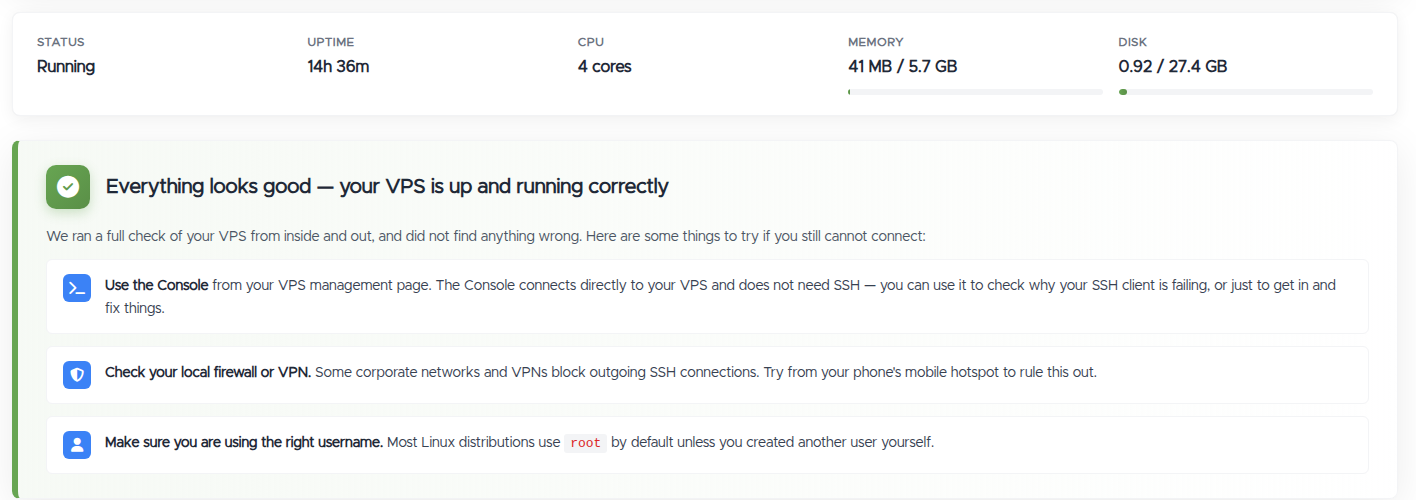
- It shows the VPS's live status (running, uptime, CPU, memory, disk) and runs its checks.
What the diagnostics check, and what a result means (Linux VPS)
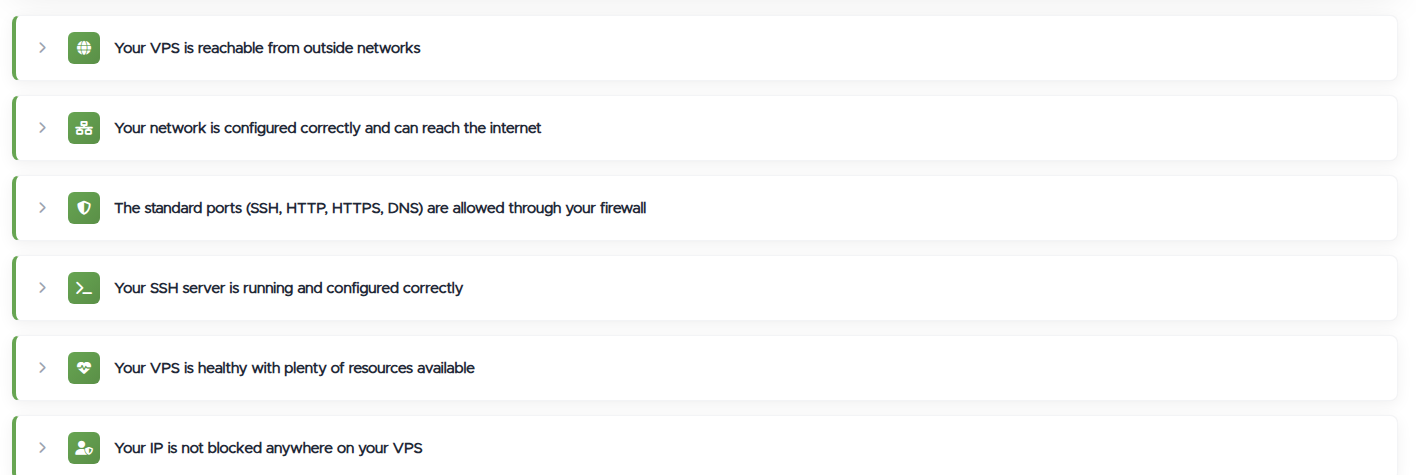
At the top you get a verdict: "Everything looks good" (it ran a full inside-and-out check and found nothing wrong) or the specific problem it found. Below that is an expandable list of the individual checks. Each shows green when it's fine, and when one isn't, the page tells you the likely cause and the exact fix to try. The main ones:
- Reachable and networking. Whether your VPS answers ping and its SSH port from an outside network, and whether the network inside is sane: the right IP address configured, working IPv4 and IPv6 routes, internet reachability, and DNS both configured and resolving. Anything broken there is fixed by the Auto-fix network button below.
- Your VPS's own firewall. It detects what's running (firewalld, iptables/nft, ufw, CSF), shows whether your SSH, web, and DNS ports are allowed or blocked, and offers one-click fixes: Remove the firewall rule blocking my IP, and a last-resort Flush firewall.
- In-VPS IP blockers. fail2ban, CSF, and sshguard are checked for bans on your address, with an Unblock my IP button (and a last-resort Flush all IP blockers). A manual firewall rule blocking just your IP gets its own Remove the rule button.
- Standard ports (SSH, HTTP, HTTPS, DNS). Whether the ports you normally rely on are open.
- SSH server. Whether
sshdis running and answering on your SSH port (it auto-detects the port), whether it accepts connections from the internet or only from inside the VPS, and your login policy: root login allowed/key-only/disabled, password and key login on or off, and any AllowUsers/DenyUsers restrictions. Give it a username and it checks that specific user: exists, allowed to log in, blacklisted, or missing from the whitelist. - Disk and resources. Whether you have free disk space (and inodes) and healthy CPU, memory, and load, plus recent OOM kills (processes killed for running out of memory). A full disk is a surprisingly common reason a VPS "won't let you in", and the page points you to free space (
df -h) or to size up. - System health. Whether the filesystem has dropped into emergency read-only mode, and whether key services have failed: your web server, database, php-fpm, or mail server down shows up here by name, along with degraded or stuck system units. There's also a viewer for the last of your VPS's boot/console output when something died before the network came up.
- IP not blocked by our SSH firewall. If your own IP was banned for too many wrong-password logins on port 22, the tool whitelists it for you automatically and asks you to wait about two minutes before retrying. See SSH firewall and blocked IPs.
If it's all green but you still can't connect
When every check passes but you still can't get in, the problem is usually on your side or in the network path, not the VPS itself. Worth trying, in order:
- Open the Console. It connects straight to the VPS without SSH, so you can get in even when SSH won't and see why your client is being refused.
- Check your own network. Some office networks, ISPs, and VPNs block outbound SSH. Trying from your phone's mobile hotspot rules that out in seconds.
- Check the username. On Linux it's usually
rootunless you created another user yourself. A wrong username fails in exactly the same way as a bad password, so it's easy to miss.
Self-service fixes (Linux VPS)
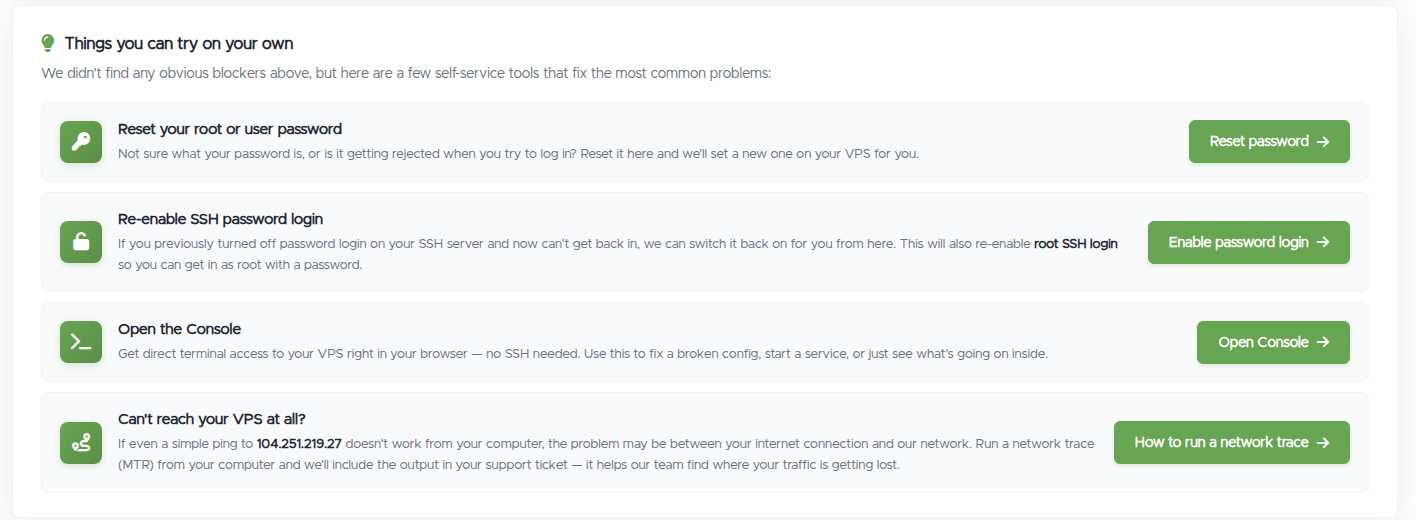
If everything checks out but you still can't connect, or the check found a fixable problem, the page offers:
- Auto-fix network. Rewrites the VPS's network configuration from our records, IPs, routes, and DNS, in one click. The fix for a hand-edited config that dropped the VPS off the network; give it about 30 seconds afterwards, then reconnect. See setting your IP address for why you never need manual IP config in the first place.
- Reset your root or user password. Sets a new password on your VPS.
- Re-enable SSH password login. Switches password login (and root SSH login) back on, useful if you turned it off and locked yourself out.
- Open the Console. A terminal to your VPS in the browser, no SSH needed. Use it to fix a broken config, start a service, or just get in.
- Reboot the VPS. A clean restart from outside, for when the VPS is wedged and even the Console isn't cooperating.
- Run a network trace (MTR). If even a ping to your VPS fails from your computer, the problem may be between you and us. The page walks you through running a trace and pasting the result, which is attached automatically if you open a ticket.
There's also a Website Down Checker: enter a URL to see whether a site being down is a DNS or web-server issue rather than the VPS itself.
When your IP is blocked
A common reason you can't SSH in is that your IP is blocked, and the troubleshooter handles both places that happens:
- Our edge SSH firewall (too many failed password logins on port 22): it auto-whitelists your own IP and gives you a form to whitelist any IP. See SSH firewall and blocked IPs.
- Blockers inside your own VPS: if fail2ban, CSF, or sshguard banned you, or a manual firewall rule targets your address, the matching Unblock my IP / Remove the rule button clears it without you touching the Console.
The full map of every layer that can block an IP is in My IP is blocked.
Premium VPS and Windows VPS
These get a lighter check:
- Premium VPS: confirms the VPS's power state and status, with connection guidance and a ticket link.
- Windows VPS: checks the VPS is powered on, verifies the Administrator password we have on file, and can reset it for you. It links to connecting to a Windows VPS with RDP, and if the VPS is powered off it points you to Power On.
If it can't fix it
At the bottom you can Open the Console or submit a ticket. Opening a ticket from here pre-fills it with the diagnostic results (and your network trace, if you ran one) and sends it to our Support team, so you don't have to re-explain.
Situations it flags
- Suspended for an unpaid invoice: it links you straight to the invoice to pay.
- Suspended for another reason: it shows the reason.
- Still provisioning: the VPS is being set up, and you'll get an email when it's ready.
- Node maintenance: the host your VPS is on is having problems and we're working on it.
Still need help?
You can open a support ticket. So we can help on the first reply, it's worth mentioning:
- the VPS hostname or IP,
- what happens when you try to connect, with the exact error,
- whether the troubleshooter found anything.
Related questions
- "My VPS is down, what do I do?"
- "I can't connect to my VPS."
- "The troubleshooter says everything looks good but I still can't connect."
- "How do I run the VPS troubleshooter?"
- "How do I reset my root password if I'm locked out?"
- "How do I get back in if I disabled SSH password login?"
- "Why can't I reach my VPS from my network?"
- "How do I tell if my website is down or my VPS?"
- "Does the troubleshooter work for Windows or Premium VPS?"