
Viewing and paying an invoice
What this is
Your invoices and how to pay them. Find them at Billing, My Invoices (https://vpsdime.com/invoices).
The invoices list
Billing, My Invoices shows your full invoice history in a table: Invoice #, Invoice Date, Due Date, Total, Balance, and Status. Each row has a View Invoice button.
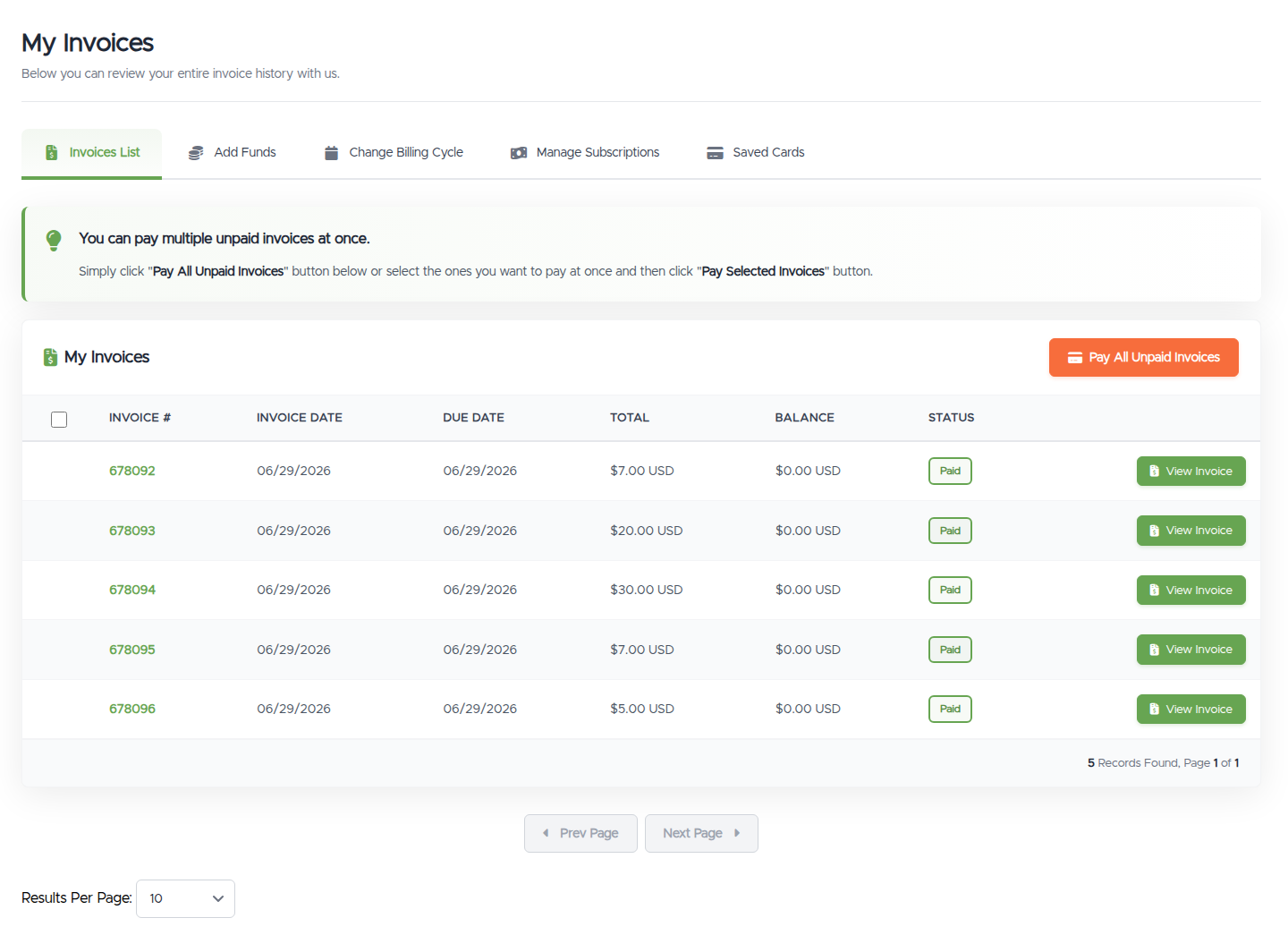
- Click a column header to sort, and use the per-page selector for longer histories.
- To clear more than one unpaid invoice at once, tick the ones you want and click Pay Selected Invoices, or click Pay All Unpaid Invoices.
Before you use those two buttons, know that they merge invoices. Paying several invoices together combines them into a single invoice and one transaction, and once merged, they can't be separated from your side, there's no unmerge button. That's usually exactly what you want (one payment, one line on your statement), but if your bookkeeping needs each invoice as its own document, pay them individually instead. Merged something you needed split? Open a ticket with the invoice numbers and we'll sort it out.
And if you find yourself merging invoices every month, there's a cleaner fix: sync your renewal dates once, and your services renew together on a single combined invoice from then on, no button-clicking required.
Opening an invoice
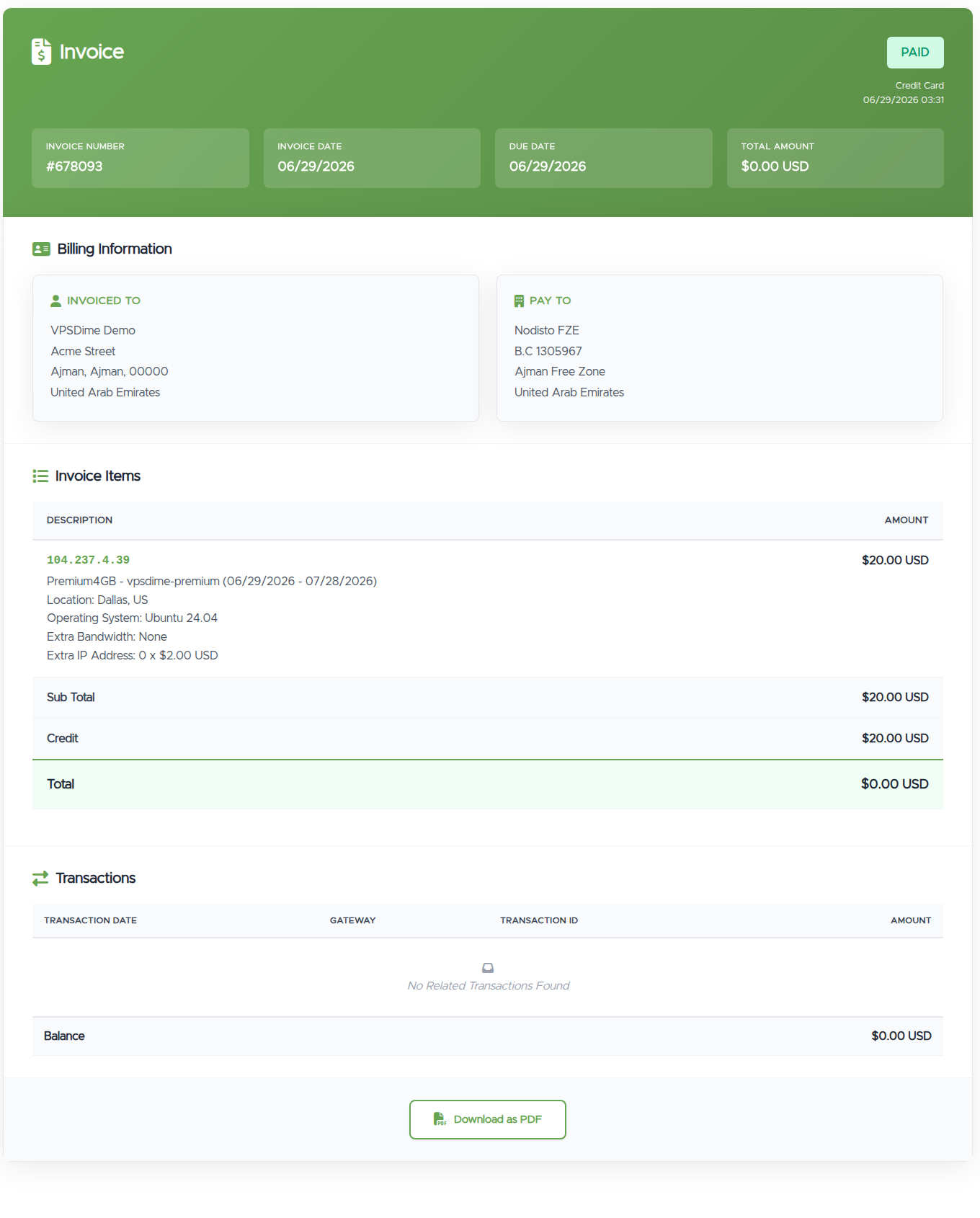
Click View Invoice (or the invoice number) to open it. You'll see:
- A header with the status (Paid, Unpaid, and so on). If it's paid, the payment method and date.
- Billing Information: who the invoice is billed to, and who it's paid to.
- Invoice Items: each line (for example a VPS for its billing period, with its IP), then Subtotal, any Credit applied, and the Total.
- Transactions: payments recorded against the invoice, and the remaining Balance.
- A Download as PDF button at the bottom.
Paying an unpaid invoice
Open the unpaid invoice and, under Payment Method, choose how you want to pay. For the full list see Payment methods. Then use the payment button to complete it.
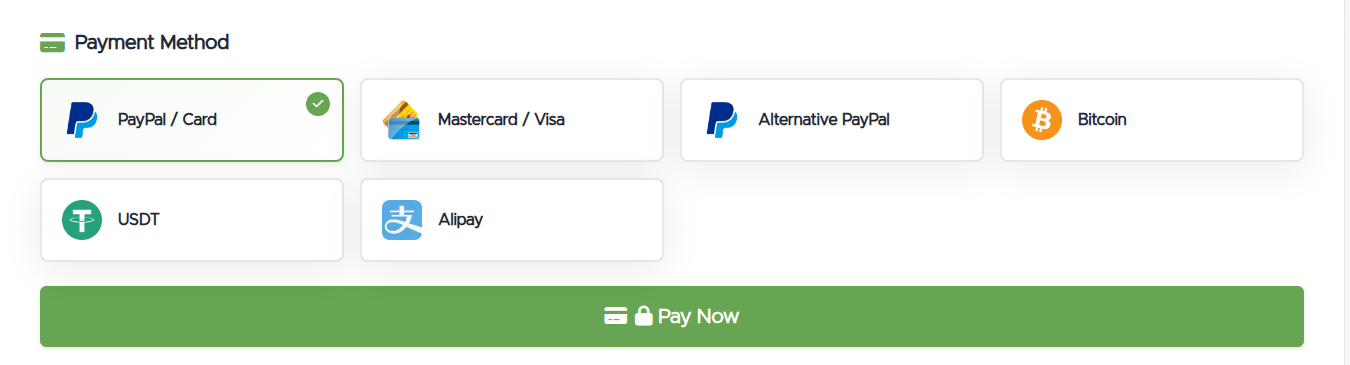
- Pay Once vs Subscribe (PayPal / Card): when you pay with PayPal / Card you can choose Pay Once (a single payment) or Subscribe (saves your details so the service renews automatically). See Automatic renewals.
- Apply account credit: if you have a credit balance, you'll see an option to apply some or all of it to the invoice before paying the rest. See Add funds.
Invoice statuses
- Paid: fully paid, nothing to do.
- Unpaid: awaiting payment.
- Pending: your payment is processing and the invoice will flip to Paid shortly. Please don't pay again.
- Security Review: your card payment went through and is being checked by our processor's anti-fraud step, usually cleared within 6 to 8 hours. Please don't pay again.
- Refunded / Cancelled: the invoice was refunded or cancelled.
Things worth knowing
- Download a copy any time with Download as PDF, handy for expense records.
- Auto-renewing services still generate an invoice. If a service is set to renew automatically and you pay its invoice yourself, we won't charge again for that same period. See Automatic renewals.
- A paid invoice can show a $0.00 total when it was covered by account credit. The credit line shows what was applied.
Troubleshooting
- I paid but the invoice isn't marked Paid. If it shows Pending or Security Review, the payment is being processed (a security review by the card processor can take 6 to 8 hours); don't pay again, it clears to Paid on its own. See Pending or Security Review after paying. If it stays Unpaid, the payment didn't go through, so try again or use another option. Still stuck? Open a ticket with the invoice number.
- My payment failed. Try another method, for example PayPal or a different card. See Payment methods.
- The method I want isn't shown. Not every method is offered for every invoice. Choose from the options shown, or contact us.
Still need help?
You can open a support ticket. So we can help on the first reply, it's worth mentioning:
- the invoice number,
- its current status and the method you tried,
- a screenshot of any error.
Related questions
- "How do I pay my invoice?"
- "Where do I find my past invoices?"
- "How do I download an invoice as a PDF?"
- "I paid but the invoice still shows unpaid, why?"
- "What does Pending or Security Review mean on my invoice?"
- "Why did my invoices get combined into one after using Pay All?"
- "Can I split invoices that were merged by Pay All Unpaid Invoices?"