
Network and IP addresses
What this is for
The Network tab (in Manage VPS, https://vpsdime.com/myservices) shows the IP addresses assigned to your VPS and their network settings, and lets you set reverse DNS. You'll come here to look up your netmask and gateway (for manual network configuration), to set a PTR record for an IP (important if you send email), and to see your IPv6 allocation.
Your IPv4 addresses
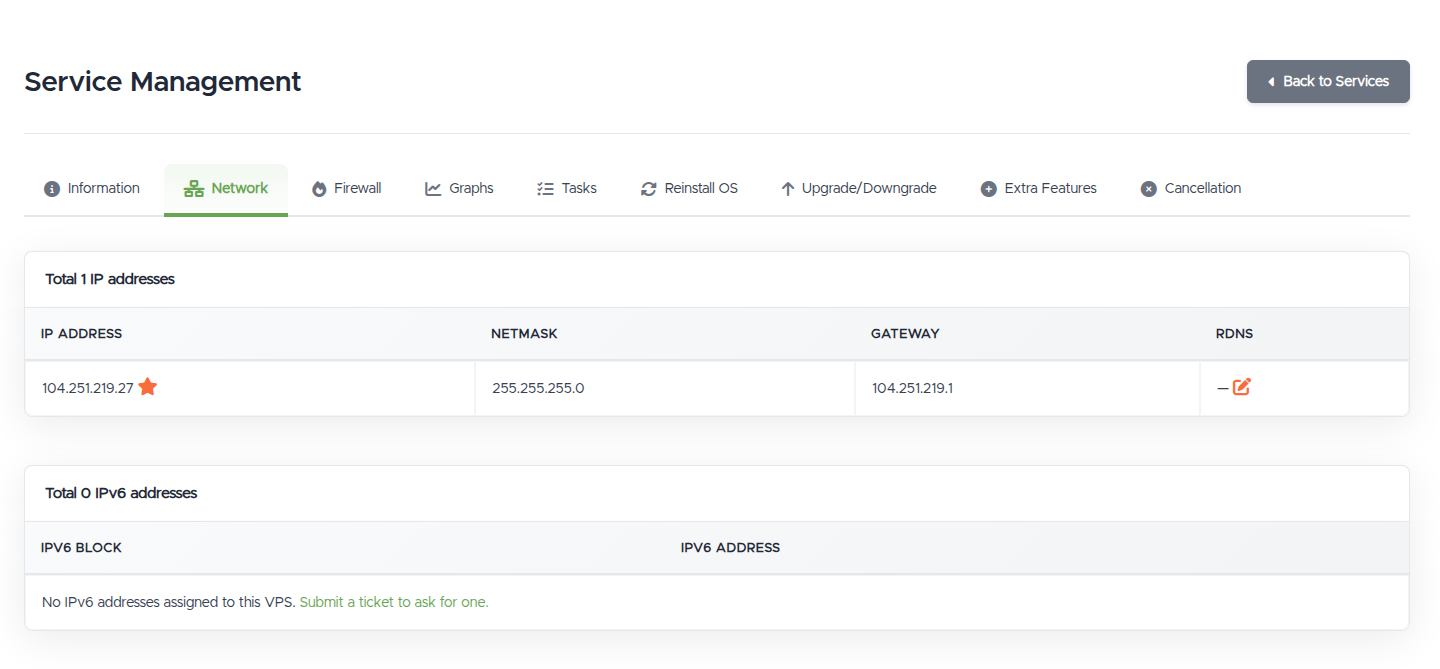
Each IP is listed with its Netmask and Gateway, and your main IP is marked with a star.
- The netmask and gateway are what you'd enter if you configure the network statically inside the VPS. Most setups get this automatically, so you rarely need to touch it, but it's here for when you do (for example when adding a second IP or troubleshooting connectivity from inside the OS).
- To add more IPv4 addresses, order them under Extra Features (there's an "Order More IPs" shortcut on the Information tab). Additional IPs can require a short justification.
Reverse DNS (rDNS / PTR)
Reverse DNS maps your IP back to a hostname. It matters most if you send email from your VPS: many mail servers reject or spam-folder mail from an IP whose PTR doesn't resolve, and ideally the PTR should match your sending hostname. Set it in the rDNS column with the edit icon, entering the hostname the IP should resolve to.
- Point the PTR at your mail server's hostname (for example
mail.example.com), and make sure that hostname also has a matching A record pointing back to the same IP. If we host your DNS, do that in the DNS Manager. - rDNS changes can take a little while to take effect.
IPv6
If your VPS has an IPv6 allocation, you'll see your IPv6 block (a /64) and address here. A /64 is a huge range you can assign from inside the VPS. If you don't have IPv6 yet, there's a link to request one by ticket.
Troubleshooting
- My static network config broke connectivity. Check that the netmask and gateway you set inside the VPS match what's shown here, and prefer the VPS's default automatic (cloud-init/DHCP) config unless you specifically need static. If you've locked yourself out, fix it from the Console.
- My outgoing mail is rejected or lands in spam. Set rDNS here to your sending hostname (with a matching A record), and set up SPF, DKIM, and DMARC in your DNS. rDNS alone isn't enough, but missing rDNS is a common cause.
- I need more IPv4 addresses or an IPv6. Order IPv4 under Extra Features; request IPv6 by ticket from this tab.
Still need help?
You can open a support ticket. So we can help on the first reply, it's worth mentioning:
- the VPS hostname or IP,
- what you're trying to do (set rDNS, configure a static IP, add an IP, or get IPv6),
- the exact values you used and any error.
Related questions
- "What are my VPS's IP address, netmask, and gateway?"
- "How do I set reverse DNS (rDNS/PTR) for my IP?"
- "Why is my outgoing email rejected or going to spam?"
- "How do I get an IPv6 address?"
- "How do I add another IP to my VPS?"
- "How do I configure a static IP inside my VPS?"