
Creating an account
What this is
How to create a VPSDime account, either up front on the sign-up page or as part of placing your first order. Create one at https://vpsdime.com/register.
Steps
On the sign-up page
- Open the Register / Sign Up page.
- Either click Sign in with Google / GitHub to create your account from that profile (no password to set), or fill in your details and choose a password.
- Accept the Terms of Service and complete the "verify you're human" check, then submit.
During checkout (in the cart)
- At checkout you'll see a New client / Existing client toggle.
- Choose New client and either use Sign in with Google / GitHub or fill in your details, then continue your order.
- Choose Existing client instead if you already have an account, and sign in.
What you'll see
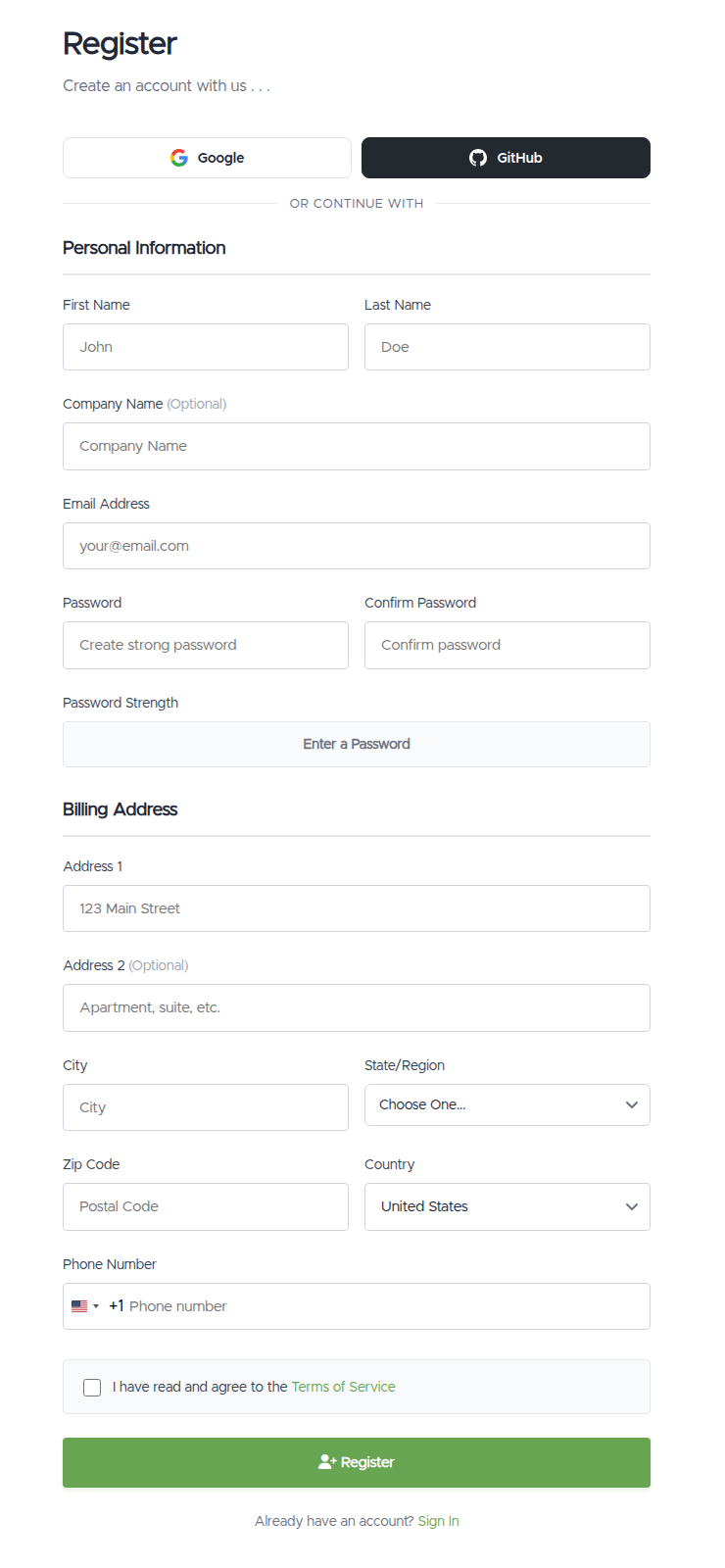
- On the sign-up page: Google and GitHub buttons at the top, then Personal Information (first and last name, optional company, email, and a password with a strength meter) and a Billing Address (street, city, state/region, postcode, country, phone). At the bottom, a "verify you're human" check (a small Cloudflare box that usually clears itself), the Terms of Service checkbox, and a Register button.
- If you start with Google/GitHub, the form pre-fills and shows "Continuing as [email protected]. Verified via Google. No password needed." A small ✕ on that banner lets you switch back to using a password instead.
- In the cart, the New client / Existing client toggle sits above the form so you can flip between signing up and signing in.
Troubleshooting
- "A user already exists with that email address." You already have an account. Head to Signing in (or use Google/GitHub) instead of creating a new one. Forgotten the password? Reset it from the sign-in page.
- "This email address is registered as a sign-in contact on another customer's account." That email is set up as a login contact under a different account. Sign in with your existing credentials, or contact us if you've lost access.
- The "verify you're human" check won't complete. Try a different browser, or disable a VPN/ad-blocker that may be blocking it, then submit again.
- It won't accept my password. Choose a stronger one (longer, mixed characters). Very weak passwords are rejected at sign-up.
Still need help?
You can open a support ticket. So we can help on the first reply, it's worth mentioning:
- the email address you're trying to register,
- the exact message you're seeing (for example "already exists"),
- a screenshot of the screen.
Related questions
- "How do I create an account?"
- "How do I sign up during checkout?"
- "It says my email already exists when I try to register."
- "Can I sign up with Google instead of a password?"