
The affiliate program
What this is
The Affiliates page lets you earn a recurring 10% commission for sending customers our way. You get a set of personal referral links, share them, and earn on every signup that comes through, including as those customers renew. It's worth turning on if you write about hosting, run a website or community, or refer clients to us. Open it from Affiliates in the client area (https://vpsdime.com/affiliates).
Turning it on
You need a VPSDime account to be an affiliate (you don't have to be a paying customer). If you don't have one yet, create your account first, then open the Affiliates page in the client area.
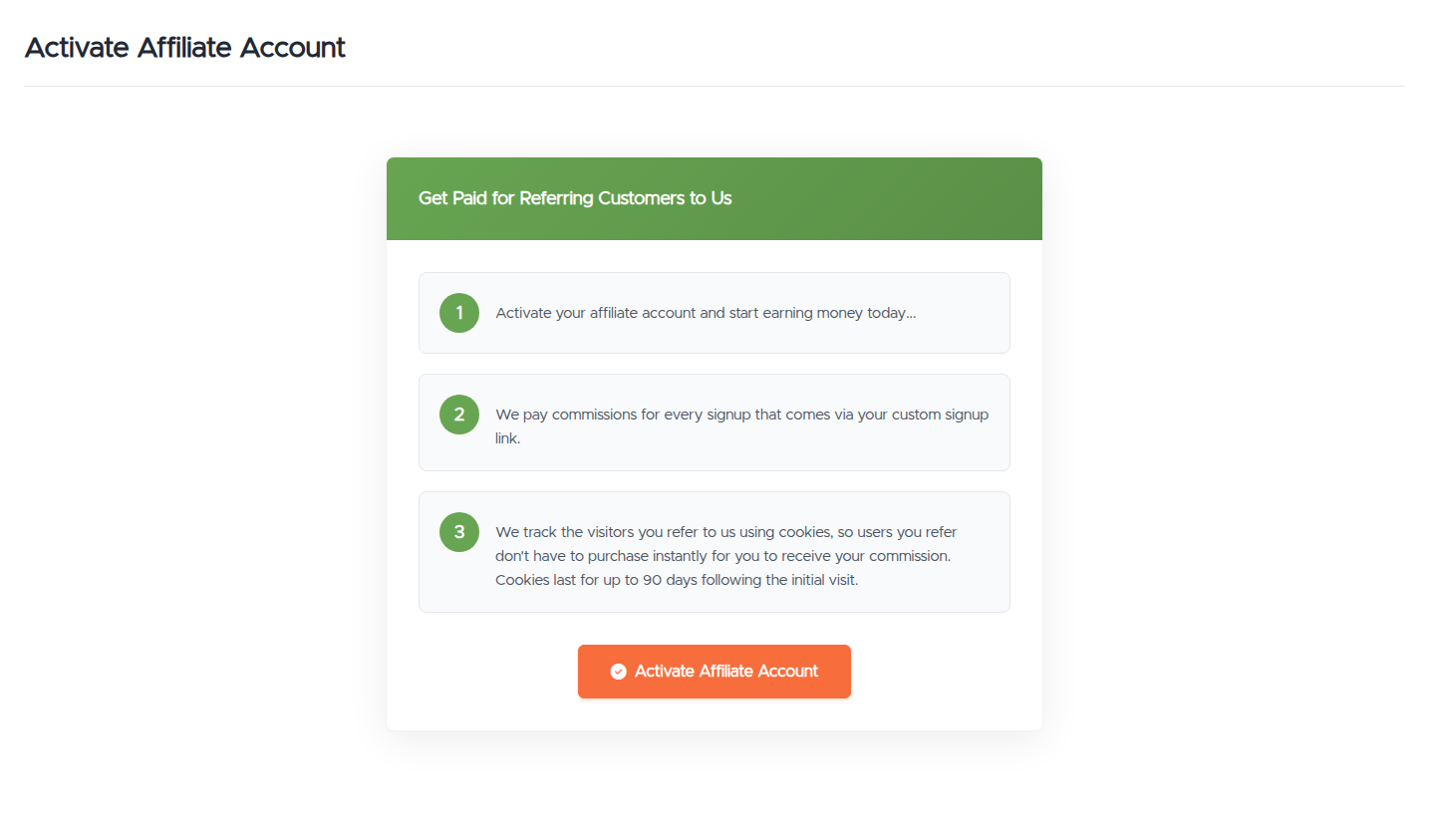
The first time you visit, you'll see Activate Affiliate Account with a short summary of how the program works. Click it once and your affiliate account is live, with your referral links and dashboard ready to use. You only do this once.
How you earn
- Share your referral link. Every link carries your affiliate ID, so anyone who arrives through it is tied to your account.
- 90-day cookie. We track referred visitors with a cookie that lasts up to 90 days, so they don't have to buy on the first visit. If they come back and order any time within that window, the referral still counts for you.
- 10%, recurring. You earn 10% of what a referred customer pays, and it's recurring, so you keep earning as they renew rather than just on the first payment.
Your referral links
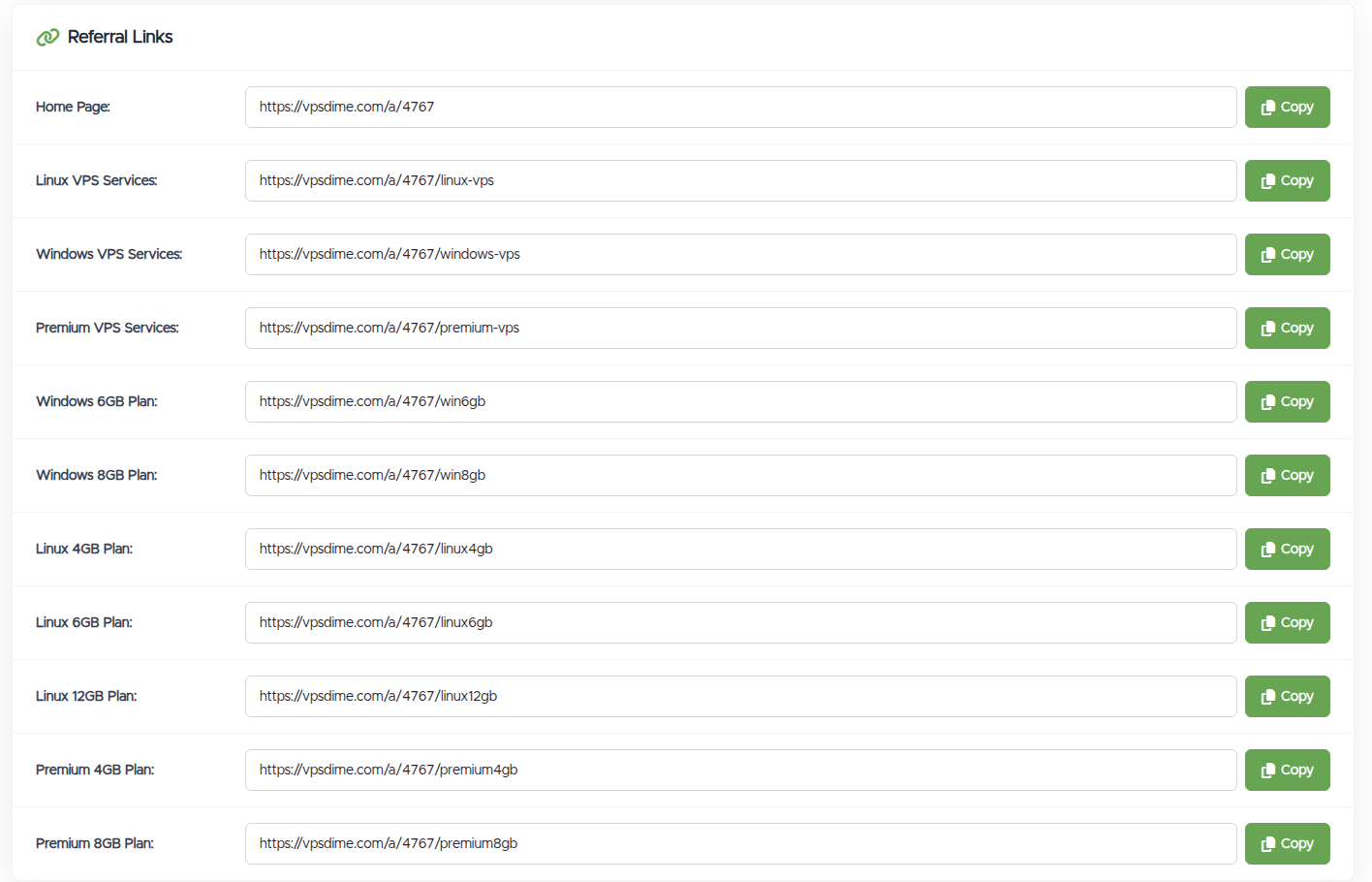
The Referral Links section gives you a ready-made link for each place you might send someone, each with a Copy button:
- Home Page, for a general referral.
- Per product (Linux VPS, Windows VPS, Premium VPS), to drop someone straight onto that product.
- Per plan (specific Linux, Windows, and Premium plans), to link a plan you're recommending.
Use the most specific link that fits. If you're recommending a particular plan, the plan link lands people right on it, which usually converts better than sending them to the home page to find it themselves.
Reading the dashboard
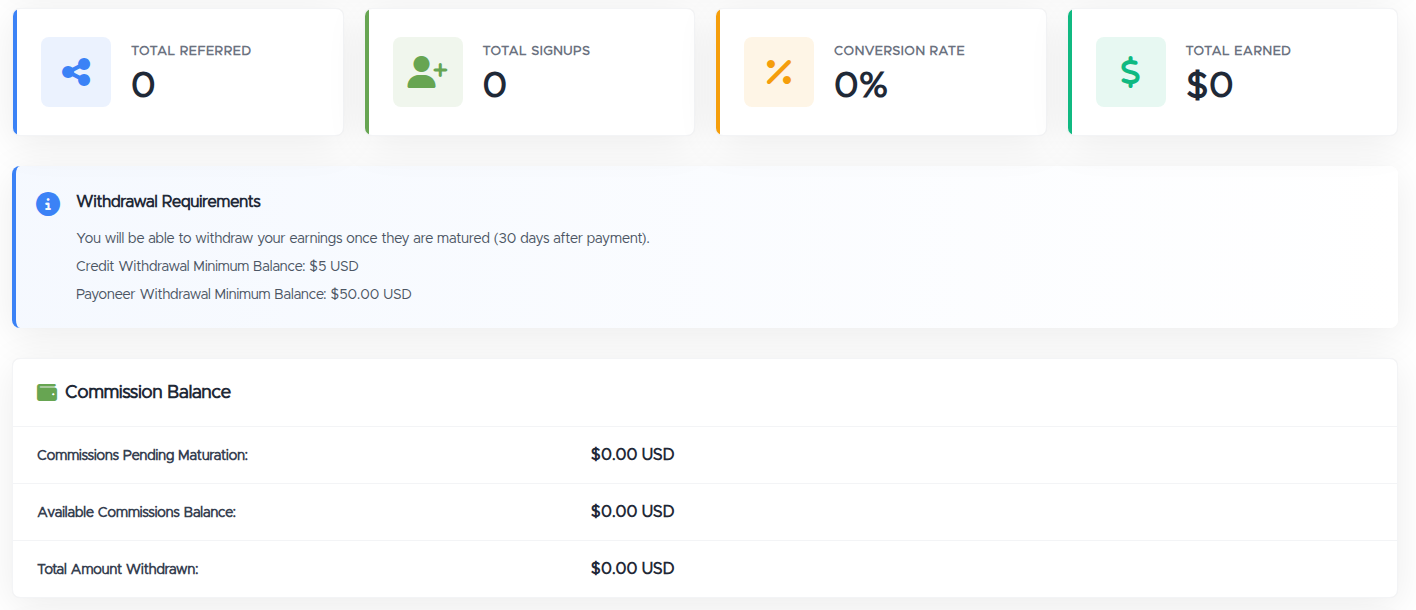
- Total Referred, Total Signups, Conversion Rate. How many visitors your links brought in, how many of them became signups, and the ratio between the two. A low conversion rate with plenty of referred visits usually means people are landing on the wrong page, try a more specific link.
- Total Earned. Your commission to date.
- Commission Balance:
- Pending Maturation is commission you've earned that isn't withdrawable yet (see below).
- Available Commissions Balance is what you can withdraw now.
- Total Amount Withdrawn is what you've already taken out.
- Referrals table. Every referred signup with its date, the product, the amount, your commission, and its status.
Getting paid
- Maturation. Commission has to mature for 30 days after the customer's payment before you can withdraw it. That covers the refund window, so a commission isn't paid out and then clawed back. Until it matures it sits in Pending Maturation, then moves to your available balance.
- How to withdraw:
- Credit to your VPSDime account, minimum $5. Best if you want to put your earnings toward your own services.
- Payoneer payout, minimum $50. Best if you want to cash out.
Good to know
- No mass mailing. Promoting us by mass email (spam) is strictly forbidden. Share your links where they're welcome, on your own site or content, or with people who've asked, not unsolicited blasts.
- It's tied to your account. Your affiliate earnings and your service billing live on the same account, which is what makes withdrawing to credit convenient.
Still need help?
You can open a support ticket. For an affiliate question, it helps to mention whether it's about a specific referral, your balance, or a withdrawal.
Related questions
- "How does the VPSDime affiliate program work?"
- "How do I become an affiliate?"
- "Do I need a VPSDime account to be an affiliate?"
- "How much commission do I earn, and is it recurring?"
- "How long does the referral cookie last?"
- "Where do I find my referral links?"
- "When and how can I withdraw my affiliate earnings?"
- "What's the minimum payout, and what are the withdrawal methods?"
- "Why is my commission pending / not withdrawable yet?"
- "Can I promote my referral link by email?"