
Sync your renewal dates
What this is
If you have several services renewing on different days, you can pay a one-time invoice to advance them all to a single renewal date. From then on they renew together, so you deal with one renewal instead of several scattered through the month. Find it at Billing, Sync Due Dates (https://vpsdime.com/syncduedates).
Renewal dates only ever move forward. Each selected service is charged for exactly the days added to reach the target date, at its own daily rate, all on one invoice.
Steps
- Go to Billing, Sync Due Dates.
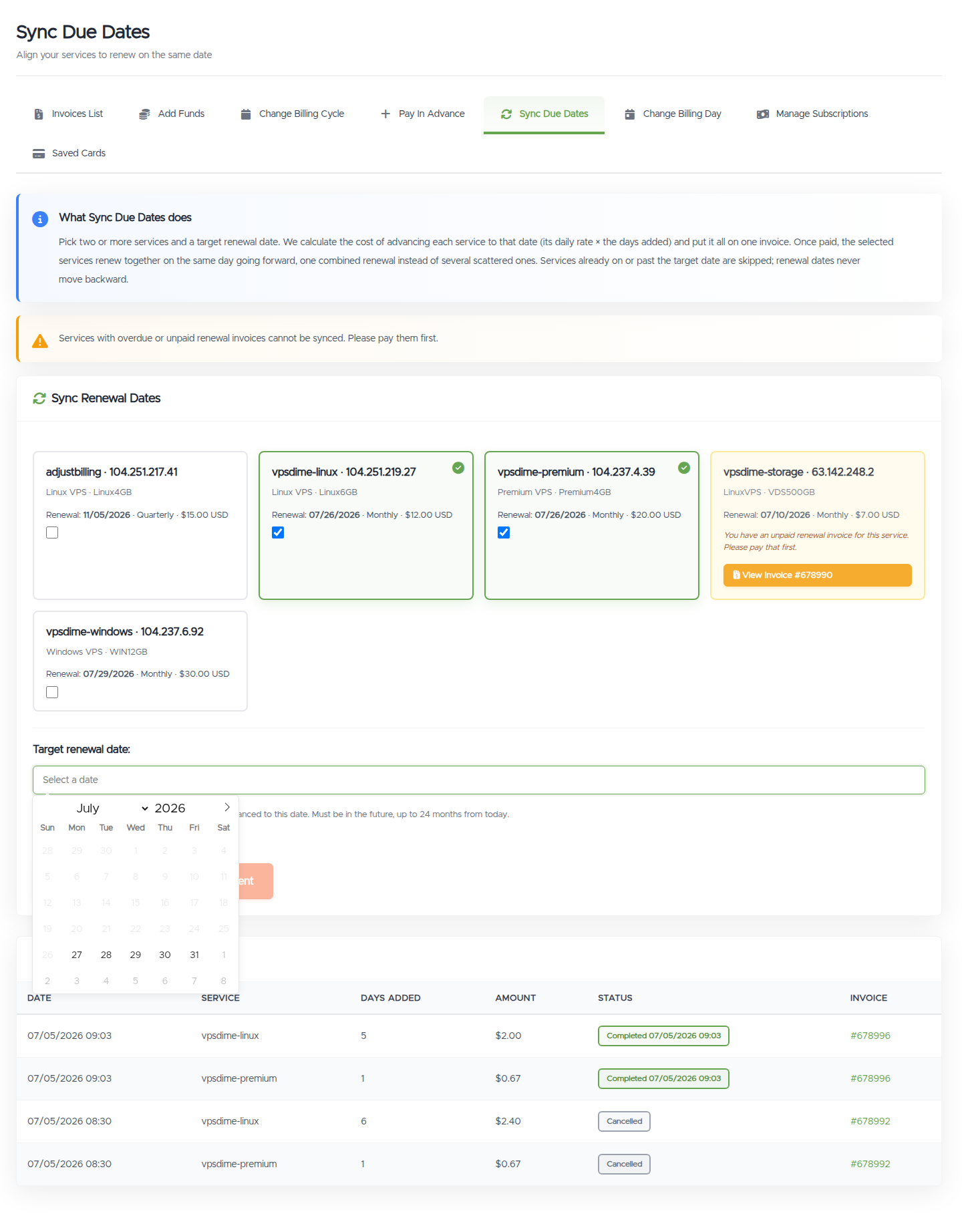
- Click the services you want to sync (at least two). The date picker unlocks once two are selected.
- Pick the target renewal date. The calendar only offers valid dates: from the day after the latest renewal among your selected services, up to 24 months out. The earliest possible date for your selection is shown under the field.
- Click Create Invoice & Continue to Payment and pay the invoice with any payment method, including account credit.
All selected services move to the target date the moment the invoice is paid. Nothing changes until then.
What you'll see
- A card per service showing its hostname, IP, current renewal date, cycle, and price. Services that can't be synced right now (an unpaid renewal invoice, or a pending adjustment) are greyed out with the reason.
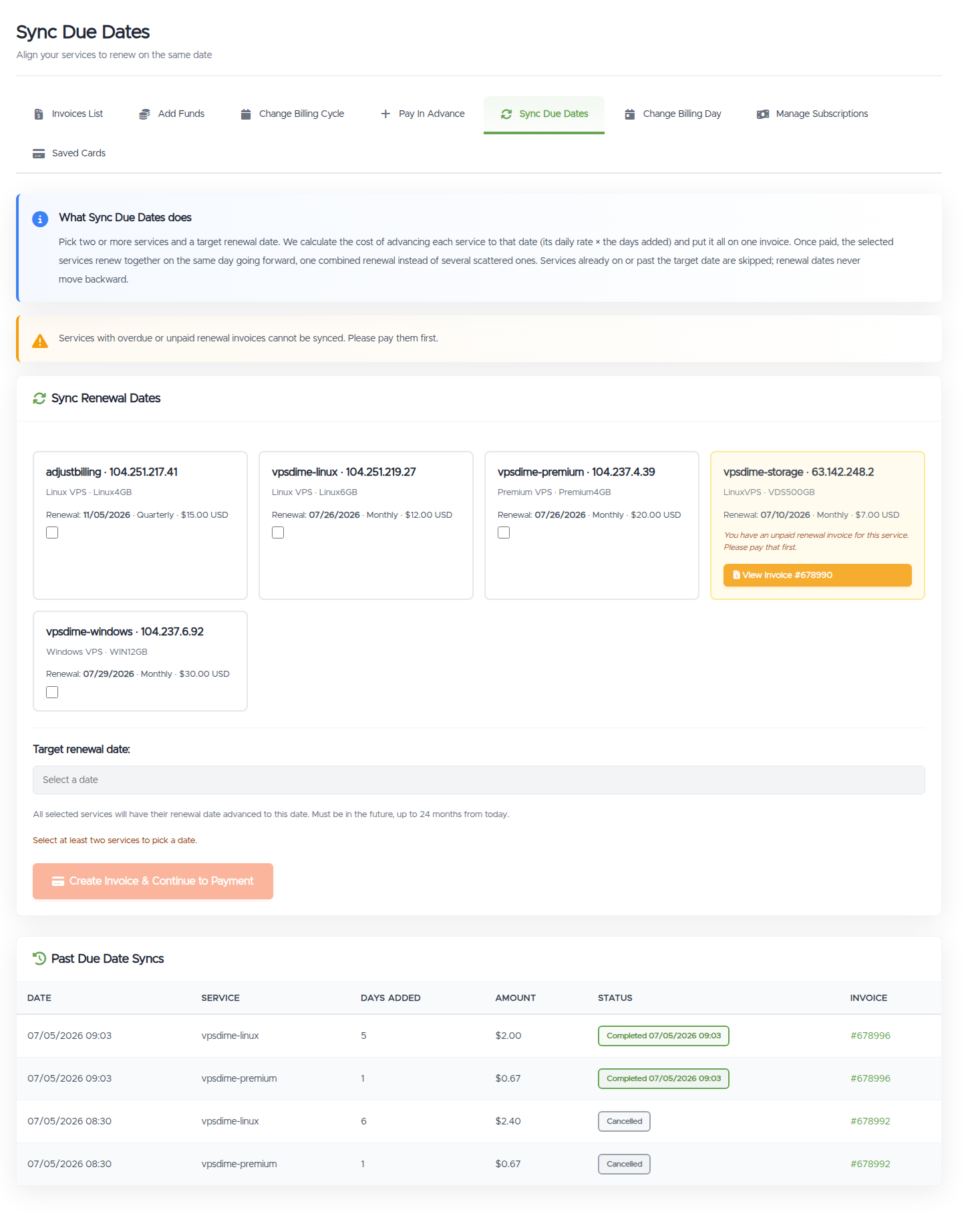
- With two or more services selected, the calendar opens with the invalid earlier days disabled and the earliest possible date shown.
Things worth knowing
- The cost is per service: daily rate times days added. A service 5 days short of the target costs 5 days of its price; one already close costs almost nothing. Each service is an itemized line on the invoice.
- Pick the date with the calendar. Dates that would move any selected service backward simply can't be chosen. If one service renews much later than the others, the earliest possible sync date is right after it; leave it out of the selection if that's further ahead than you want to pay for.
- The invoice is not charged automatically. Saved cards and PayPal subscriptions never auto-pay a sync invoice; pay it from the invoice page yourself.
- The offer expires if unpaid. An unpaid sync invoice cancels itself automatically after a few days (shown next to the pending entry). If it expires or you cancel, no dates change and normal renewal billing continues for every service.
- A pending adjustment blocks the service. Each service can have one pending adjustment across Pay In Advance, Sync Due Dates, and Change Billing Day. Pay or cancel the pending one first; cancelling a sync releases all of its services at once.
- After the sync, renewals arrive together. Services due on the same date with the same payment method are normally combined on a single renewal invoice going forward.
Troubleshooting
- The date field is locked. Select at least two services first; the picker unlocks and shows the earliest valid date for that selection.
- A service is greyed out. It either has an unpaid renewal invoice (a View Invoice button is shown; pay it first) or a pending billing adjustment (pay or cancel it first).
- I can't pick the date I want. The target must be after every selected service's current renewal date and at most 24 months from today. Deselect the service whose renewal is past your preferred date, or pick a later date.
- I paid but one service's date looks wrong. Open a ticket with the invoice number and we'll check it.
Still need help?
You can open a support ticket. So we can help on the first reply, it's worth mentioning:
- which services you're trying to sync,
- the target date you picked,
- the invoice number if one was created.
Related questions
- "How do I make all my servers renew on the same day?"
- "Can I combine my invoices into one?"
- "How do I align the due dates of my services?"
- "Why can't I pick an earlier date when syncing?"