
Change your billing cycle
What this is
You can change how often a service is billed (for example from monthly to a longer cycle) yourself, without opening a ticket. Find it at Billing, Change Billing Cycle (https://vpsdime.com/changebillingcycle).
Steps
- Go to Billing, Change Billing Cycle.
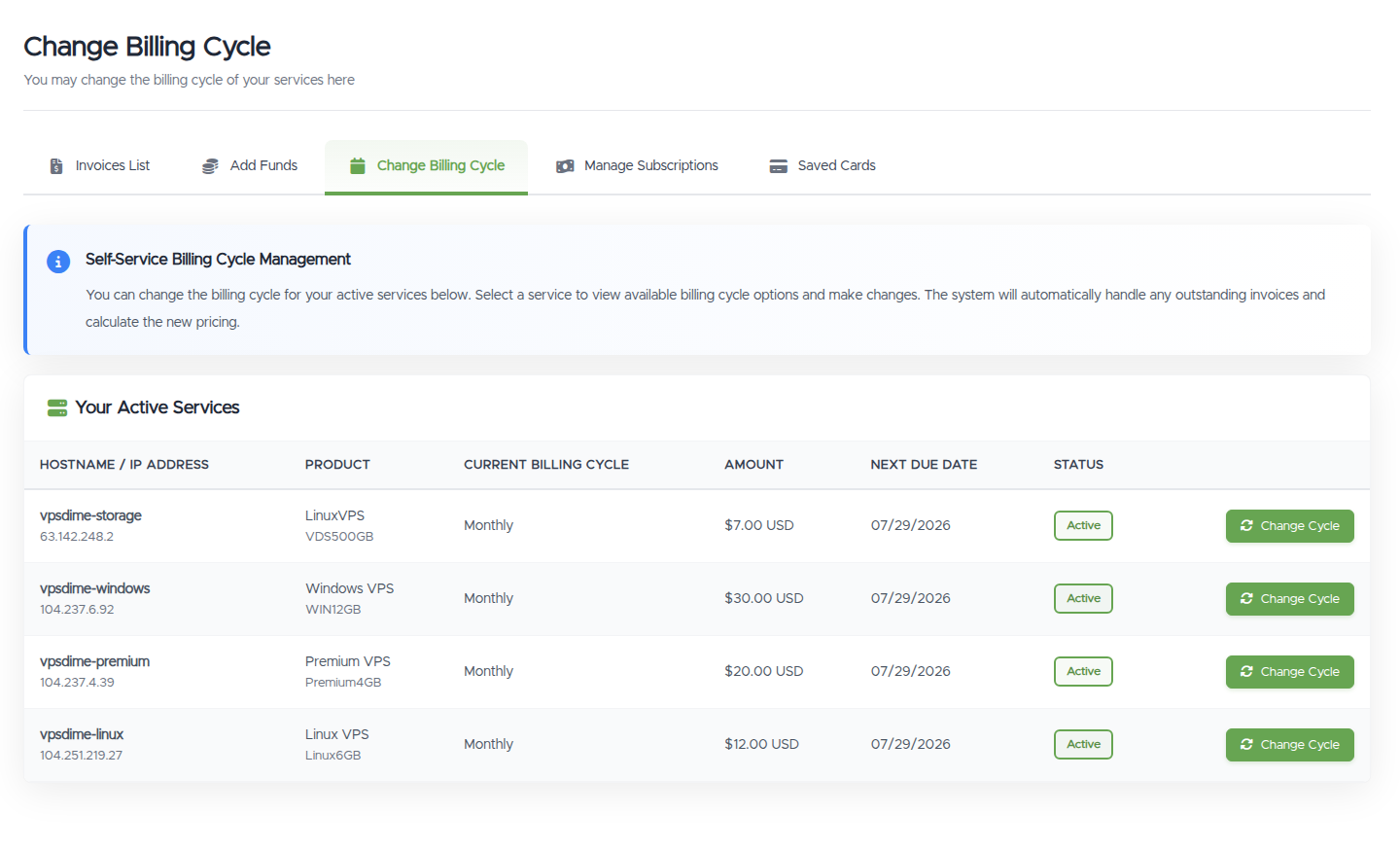
- Find the service in Your Active Services and click Change Cycle.
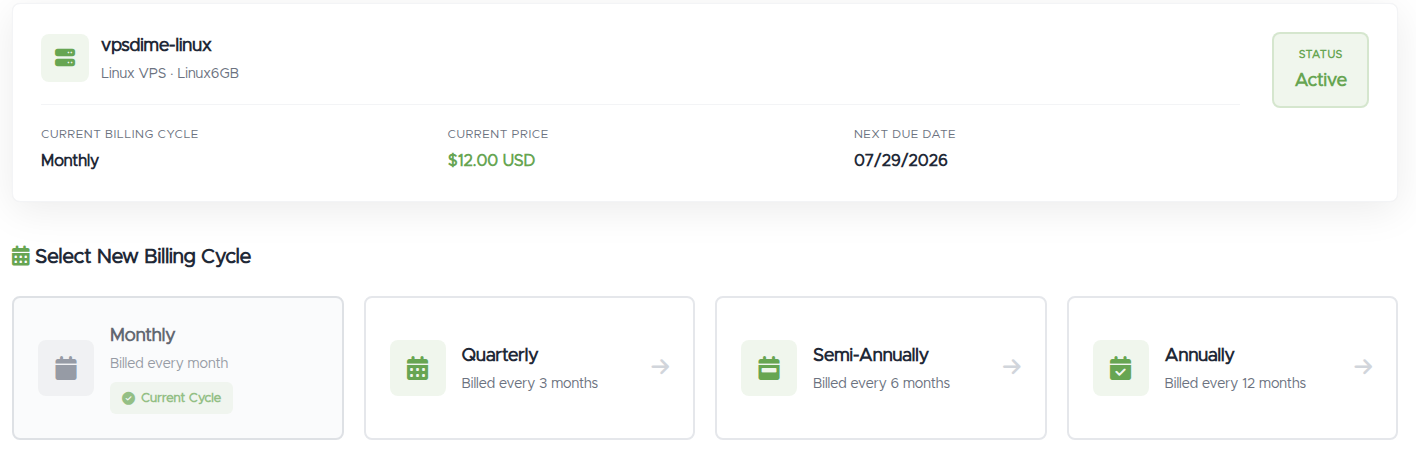
- Choose the billing cycle you want from the options shown and confirm.
If the service has an unpaid invoice, it's updated to the new cycle and price automatically.
What you'll see
- A Your Active Services table: Hostname / IP Address, Product, Current Billing Cycle, Amount, Next Due Date, and Status, with a Change Cycle button per service.
- After clicking Change Cycle, the available cycles and their prices for that service.
Things worth knowing
- A longer cycle means fewer invoices. You pay for more time up front and get billed less often. Check the price shown for each cycle before you confirm.
- When it takes effect: an unpaid invoice on the service is updated to the new cycle straight away; otherwise the change shows on your next renewal invoice.
- Changing the cycle is not the same as changing your renewal method. To control automatic renewal, see Automatic renewals.
- Want the same price, just paid ahead or on a different day? To prepay months at your current cycle, see Pay for your service in advance; to move which day of the month you're billed, see Change your billing day; and to line several services up on one renewal date, see Sync your renewal dates.
Troubleshooting
- My service isn't listed. Only active services can have their cycle changed here. If a service is pending or suspended, open a ticket.
- I'm not sure what I'll be charged. The options screen shows the price for each cycle before you confirm.
Still need help?
You can open a support ticket. So we can help on the first reply, it's worth mentioning:
- the service (hostname or IP),
- the cycle you want to switch to,
- anything unexpected about the pricing or invoices.
Related questions
- "How do I change my billing cycle?"
- "Can I switch from monthly to annual?"
- "Will changing my cycle change my price?"
- "How do I pay yearly instead of monthly?"