
Nightly Backups (overview)
What this is
Nightly Backups is an automated backup of your entire VPS, taken once a night and stored separately from your server. If something goes wrong, you can restore your whole VPS to a previous night, recover individual files from a backup, or download a full copy of the disk. Your backups are at https://vpsdime.com/backups.
Who has it:
- Linux VPS: Nightly Backups is an optional add-on, $5/month. It's off by default. Once it's on, you manage and restore your backups yourself from the Backups page. See Turn on Nightly Backups.
- Premium VPS: Nightly Backups is included free, already part of your plan. There's nothing to turn on, and you manage your backups yourself from the Backups page.
- Windows VPS: the same add-on is available for $5/month and backs up your VPS nightly, but Windows VPS isn't managed from the self-service Backups page. To restore or recover files, open a support ticket and we'll handle it for you.
How it works
- One backup per night. Our system backs up your VPS automatically each night. You don't need to start it.
- 3-day retention. We keep your three most recent nightly backups. As each new backup is taken, the oldest one is removed.
- Whole-server backup. Each backup covers your full VPS disk, so a restore brings the entire server back to how it was that night.
- Full or Incremental label. In the panel each backup is tagged Full or Incremental. This is just information about how the backup was stored. It doesn't change how you restore or what you can recover.
What you can do with a backup
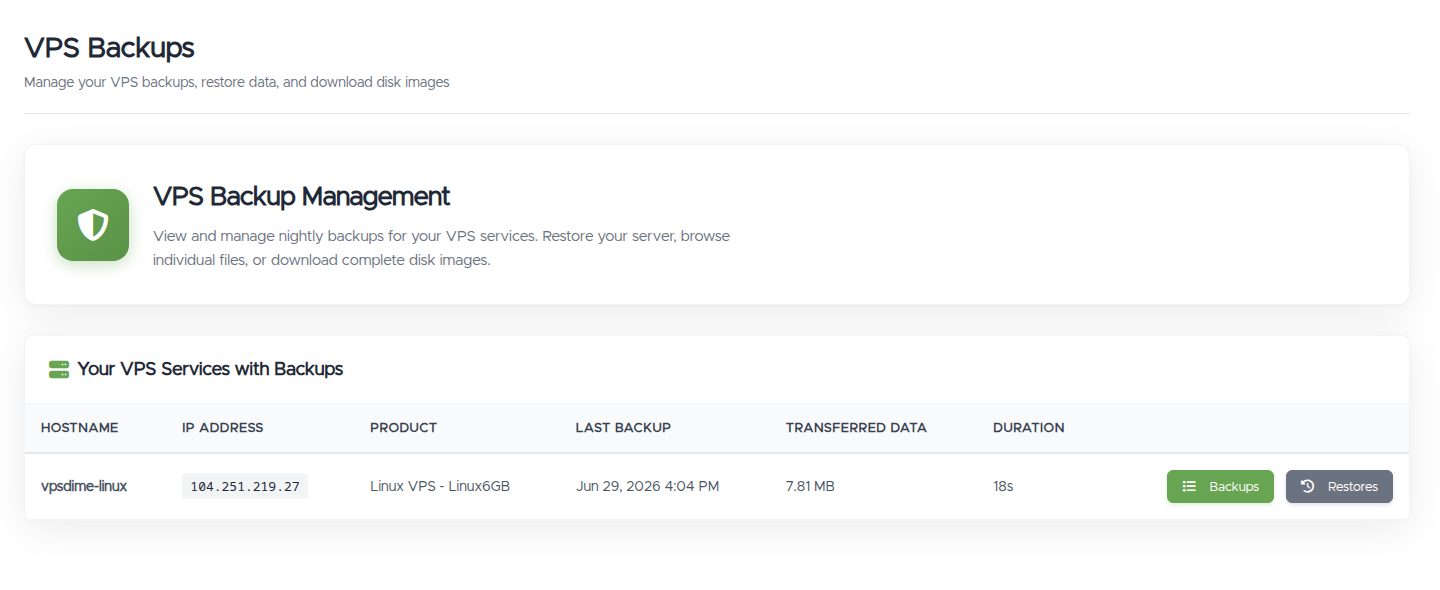
From Backups in your client area, open a service and choose a backup to:
- Restore your VPS to that night. See Restore your VPS from a backup.
- Browse Files to recover individual files without a full restore. See Recover individual files.
- Download Full Disk to save a complete copy of the disk image. See Download a full disk image.
Things worth knowing
- Keep your own backups too. Nightly Backups is a safety net, but your data is your responsibility. We recommend keeping your own copies of anything important as well.
- Export your databases inside the VPS. Backups are taken while your VPS is running, so a restored database is crash-consistent, the same as after a sudden power loss. Most databases recover from this on their own, but for a copy you can fully rely on, set up a regular export (a database dump) to a file on the server. The nightly backup then includes that export, so you always have a clean, consistent copy to restore.
- One backup action at a time. You can run one restore, file browser, or disk download at a time per VPS. Start another only after the first finishes or is stopped.
Troubleshooting
- I don't see any backups. A backup appears after the first nightly run completes. If you just enabled Nightly Backups, check back after the next night. On a Linux VPS, confirm the add-on is enabled (see Turn on Nightly Backups).
- How far back can I go? Retention is three days, so you can restore any of your three most recent nightly backups, up to about three nights ago.
- I have a Windows VPS and want a restore. The self-service panel doesn't cover Windows VPS. Open a ticket and we'll restore it for you.
- Can you restore my VPS if I never had Nightly Backups? No. Without Nightly Backups (or a Premium VPS, which includes them), we don't keep snapshots, disk images, or any other recoverable copy of your VPS on our side, so there's nothing we can restore from. Enabling the add-on starts backups going forward only, the first backup runs the night after it's turned on, so it can't recover anything from before it was enabled.
Still need help?
You can open a support ticket. So we can help on the first reply, it's worth mentioning:
- the VPS hostname or IP the question is about,
- whether you're on a Linux VPS add-on or a Premium VPS,
- what you're trying to do (restore, recover a file, or download the disk).
Related questions
- "What is Nightly Backups?"
- "How often is my VPS backed up?"
- "How long do you keep my backups?"
- "Does my plan include backups?"
- "How much do backups cost?"
- "Can I get my Windows VPS restored from a backup?"
- "What's the difference between a Full and an Incremental backup?"
- "Are my databases safely backed up?"
- "Do you keep snapshots of my VPS if I don't have the backup add-on?"
- "Can I recover data from before I enabled backups?"
- "If I buy the backup add-on now, can you restore yesterday's data?"